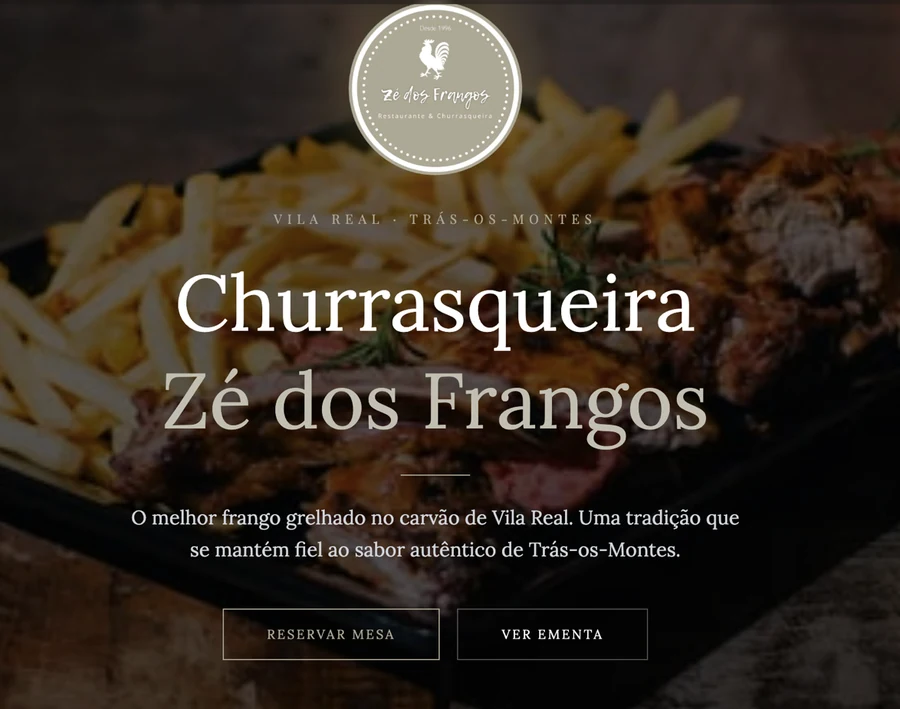
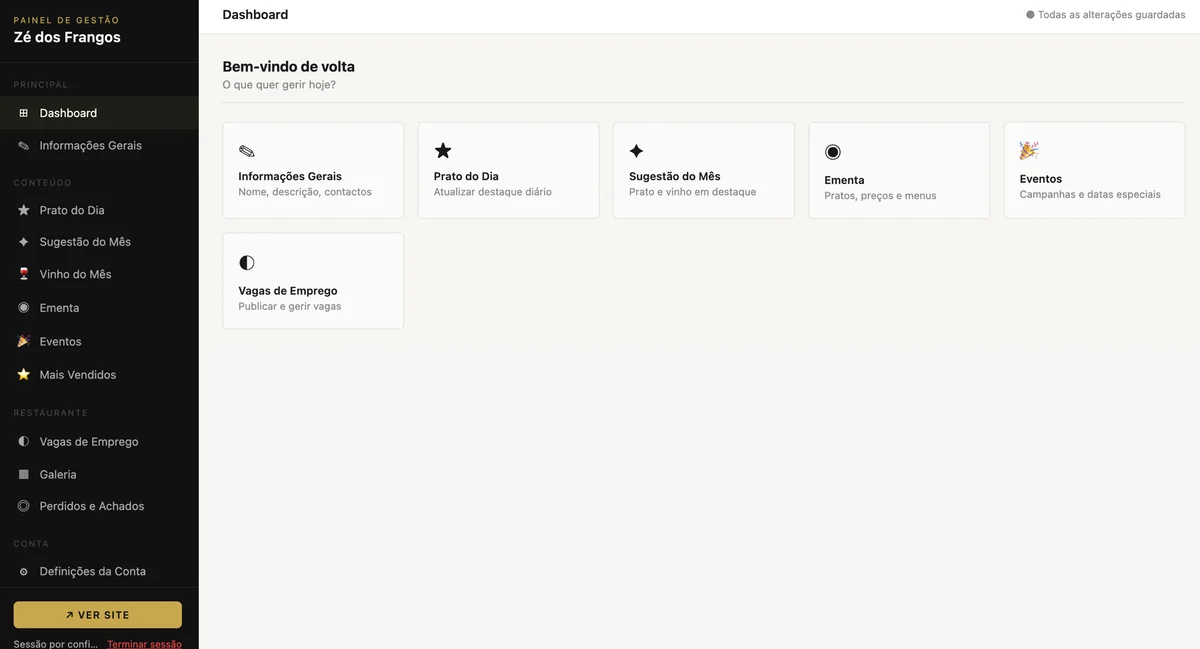
The owner writes the dish of the day into a panel
and it is on the site before the lunch service starts. No phone call
to us, no invoice for a text change.
Prato do Dia8,50 €
Sugestão do Mês13,50 €
Vinho do Mês12,00 €
Thirteen panels, one per thing a
restaurant actually changes. Anything left empty takes its section
off the page rather than leaving a placeholder up.
Astro
Tailwind
Netlify Functions
Netlify Blobs
Edge Functions
scrypt + HMAC
Playwright
No database
What it is
Two things that touch through one function. The public site is
static: it ships with sensible defaults already in the HTML, then
asks the server what the owner has published since and swaps it
in. The backoffice is a single page behind a login, where all of
that is written. Built by two of us to be sold, with one real
churrasqueira in Vila Real as the first client and a template
underneath it for the next one.
Publishing is a session and an origin. Reading site content is anonymous by design — that is what the pages need. Reading customer data is not, and writing is neither
Photos are shrunk in the browser before they leave it and travel inside the JSON as data URIs, so there is no upload service, no image host and no second bill
Sections lock once saved. After publishing, a panel is read-only until you press Edit, and leaving with unsaved work asks first — in the language of the section you were in
A login built for someone else’s business: the panel is guarded before it is served, the password is never stored, and getting it wrong repeatedly costs an escalating amount of time
What the client gets
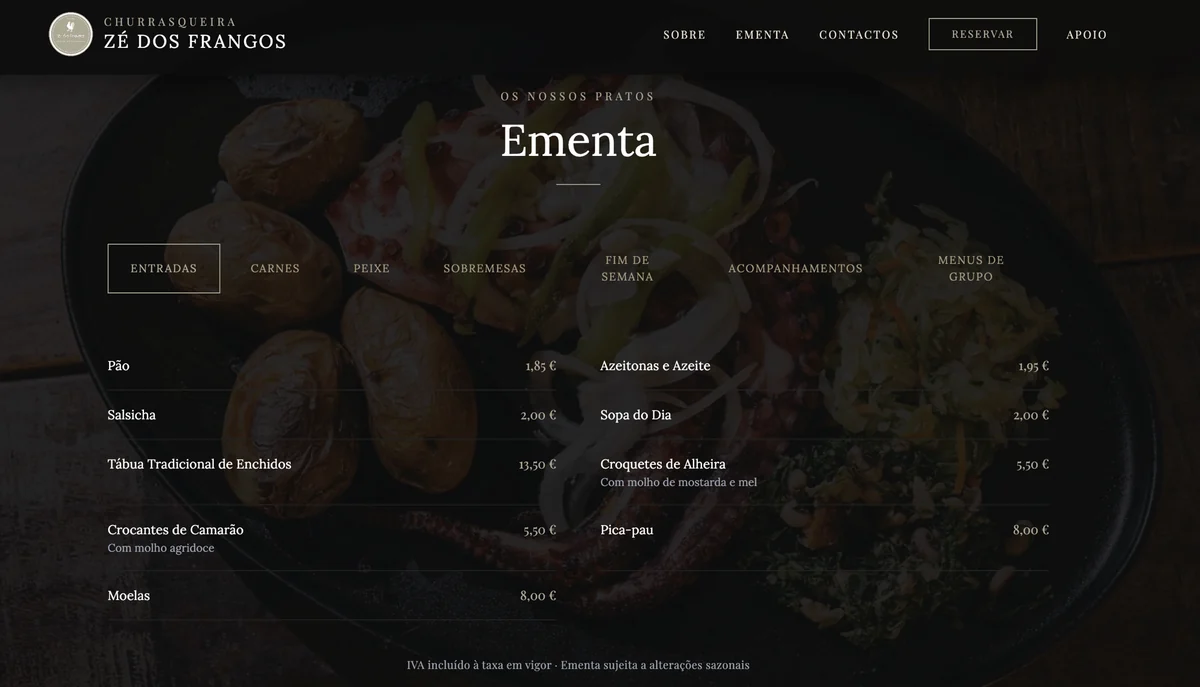
The menu, in tabs, over the house photography under a
heavy scrim. Every price on this page is a row the owner typed
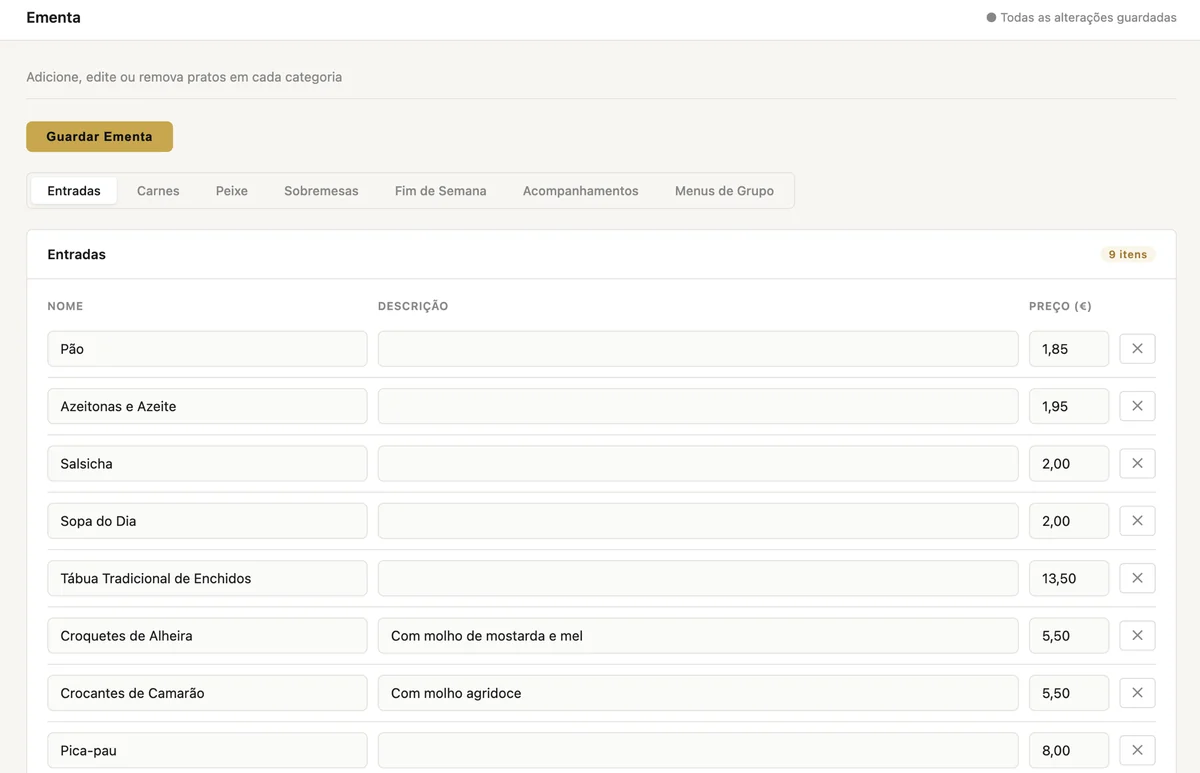
into the panel below.The panel. Plain light UI, deliberately nothing like
the site it publishes to, so there is never any doubt about
which of the two you are looking at.The same seven categories, as fields. One gold button,
and the tabs are in the same order as the ones on the site —
the panel is a map of the page.
Motivation
Two friends who write code, and a plan that was never a demo:
build a restaurant site good enough to sell, and sell it. We
picked a real one we both knew rather than inventing a fictional
restaurant, because a fictional restaurant never tells you that
the thing it actually needs is to announce it is closed for a week
in August. The constraint that shaped everything came out of that:
the owner has to run it alone. A site that needs us to change a
price is a site that stops being updated in month three and is
embarrassing by month six. So the backoffice is the product, and
the public page is the shop window.
Purpose
Something sellable more than once. The package is named
restaurante-template: every restaurant-specific thing
is either content in the store or an environment variable, so the
next client is a fork, a logo and a set of variables rather than a
rewrite. And it had to cost almost nothing to keep alive —
static hosting, functions and a key-value store on one free tier,
no database to pay for or patch, no CMS licence. The only
recurring cost is the domain.
Challenges
A static file has no server to protect it.
/admin.html is served straight off the CDN and never
passes through any code of ours, so the original client-side
password prompt protected nothing at all.
The panel now sits behind an edge function that runs before the file is served. It verifies the cookie signature only, without touching storage, so a revoked session still reaches the empty shell — closed one layer up, where the panel calls /api/auth/me on boot and every read and write returns 401. Two tiers, deliberately, and written down as such
The lockout is a denial of service you build yourself: the username is admin, so five wrong guesses from anyone on the internet would leave the owner locked out of their own door. Guesses against a username that does not exist go in a separate bucket and never touch the real account
Time is a side channel. The password is verified even when the username is wrong, so both failures cost the same, and every failed response is held to a 400 ms floor — “account locked” answers instantly while “wrong password” costs ~100 ms of scrypt, and the difference is measurable from outside
Eventual consistency quietly breaks security primitives. Rate-limit counters read stale and the limit stops meaning anything; a session you just revoked keeps being accepted. The auth store had to opt into strong consistency explicitly, and nothing would have failed loudly to tell us
No password recovery, on purpose. It is an environment variable, a redeploy and a forced change on first login — and it applies exactly once, since the hash of the value is recorded, so leaving the variable in place does not reset the account on every deploy
A starter password must not be able to publish. It gets shared over a channel we do not control, so an account carrying one may change its own password and nothing else: every write is refused with a 403 until it does
Content arriving late was invisible. The reveal animation registered its elements at page load, so the whole menu and the whole gallery — rendered afterwards from the store — stayed at opacity 0 forever. Present in the DOM, correct in the tests, invisible to a human
The dev server that looked right and wasn’t. Astro on its default port served every page perfectly with no functions behind it: login 404, /admin.html wide open. Anyone who typed the port everyone types got a convincing lie
What I learned
Where the trust boundary actually is on a static host. The CDN does not run your code, and “the file is hard to guess” is not a boundary
Two-tier auth is a design, not a shortcut — cheap verification at the edge, revocation at the function — but only if you write down what each tier does and does not guarantee. Undocumented, it is a hole you have forgotten about
Every defence has a second victim. Lockouts lock out the owner, strict transport policy strands a subdomain, aggressive caching serves last week’s prices. Designing the defence means designing the recovery from it
Consistency models are a security property, not only a data one
Refusing to build a feature can be the right answer, if you write down the procedure that replaces it
The documentation is part of what is sold. Handing this to a restaurant means the failure modes are written as “I can’t get in, what do I do”, not as error codes
Templates are built by refusing to hardcode, from day one. One restaurant’s name in one file is an edit; the same name in forty places is a reason not to sell it twice
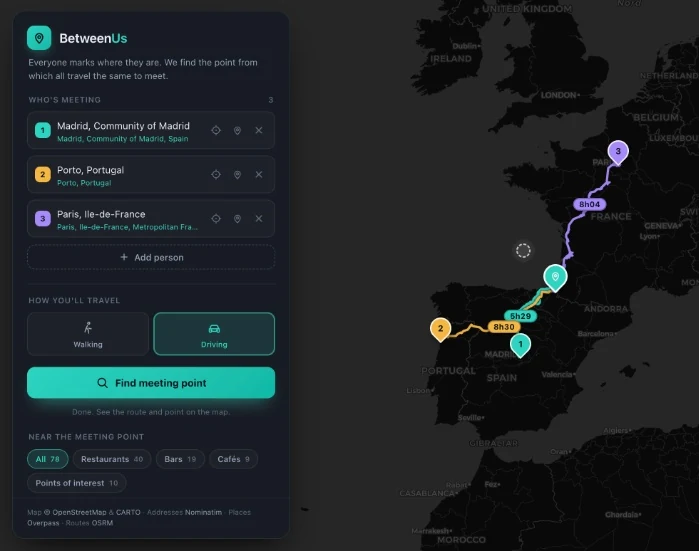
Everyone marks where they are. It finds the point
from which all of them travel the same, and tells you what is there.
Two answers per search. The exact
midpoint, equidistant and quite often at sea, and the one on real
roads that everyone actually reaches in the same time.
Vanilla JS
Leaflet
OSRM
Overpass
Nominatim
No build step
What it is
Add the people, pick walking or driving, and the map answers with
a place: a town, its region, and a line of its history. Everyone
gets a route in their own colour with their travel time on it, so
the fairness is something you can read rather than take on trust.
The exact midpoint, where nobody is further from the meeting than anyone else
The realistic meeting point, snapped to roads and picked so the longest trip is as short as it can be
The gap between the longest and shortest trip, which is the number the search is trying to get to zero
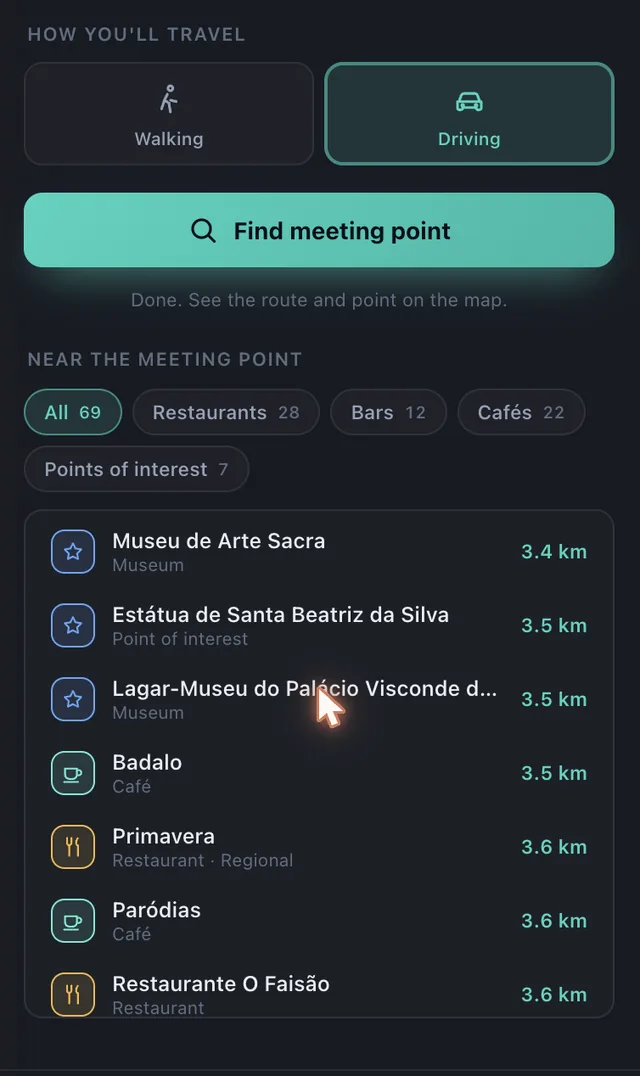
Restaurants, bars, cafés and points of interest around the answer, sorted by distance
What a search answers with
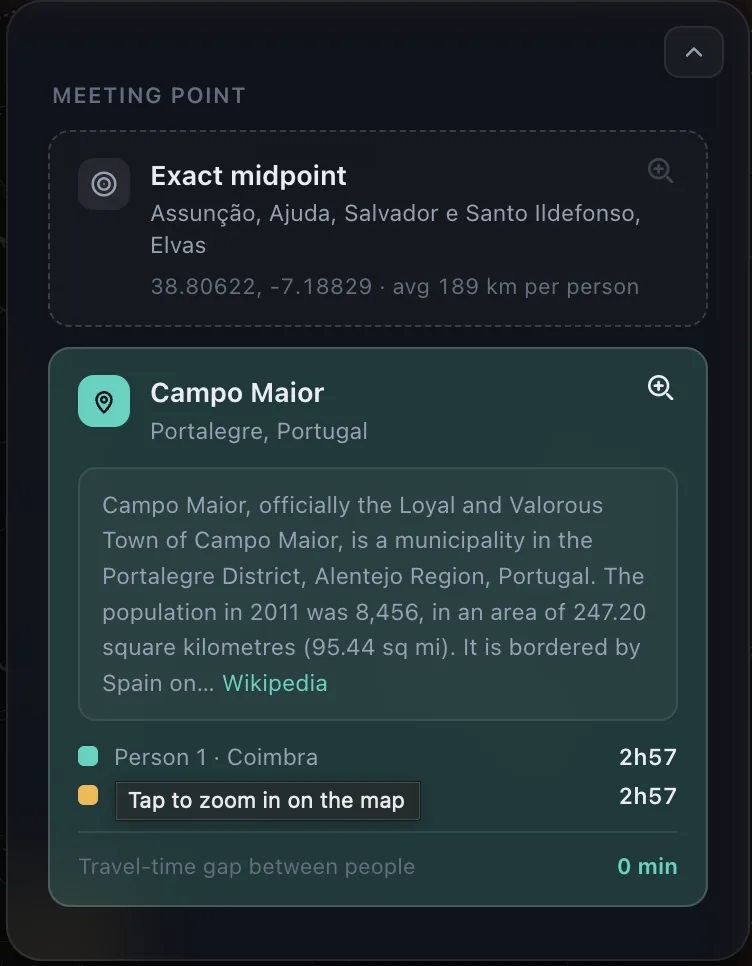
Two people out of Coimbra and somewhere east of it, and
the gap between their trips is zero. The exact midpoint landed in
a field outside Elvas, so the meeting is in Campo Maior, with the
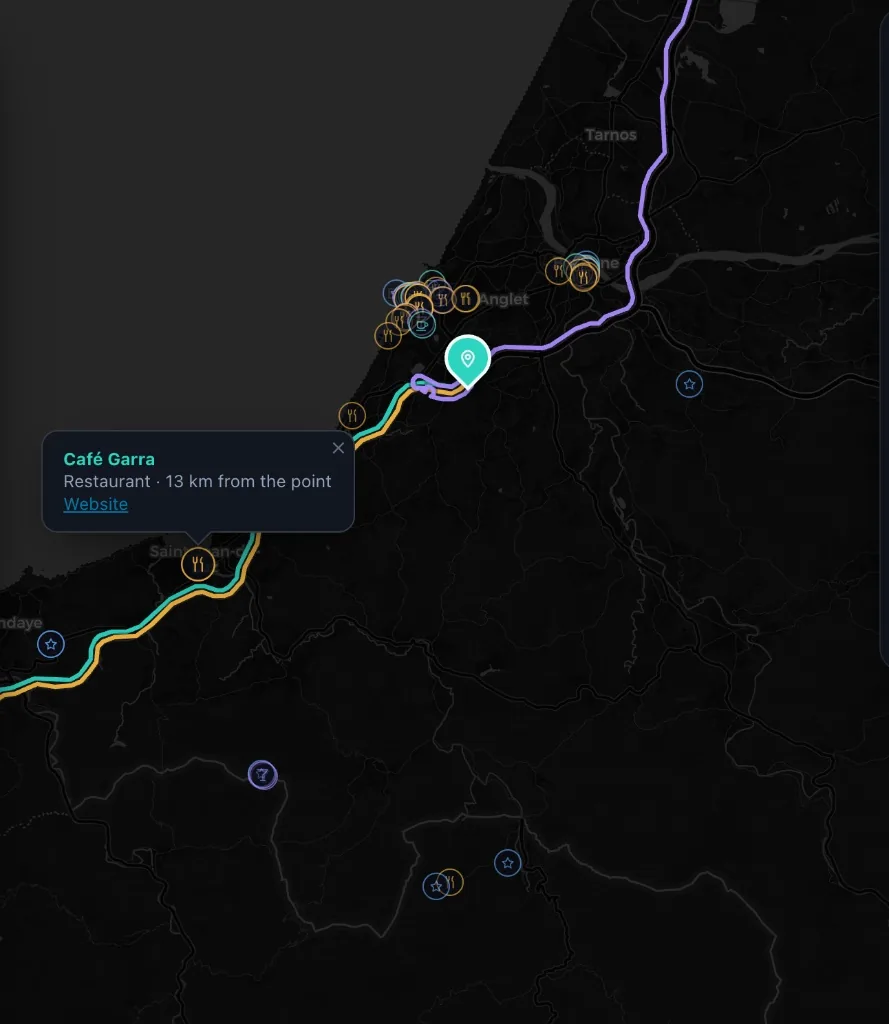
first paragraph Wikipedia has on it.Zoomed in, the routes share the last few kilometres of
road. They are drawn a few pixels apart so all three stay
readable, and the places around the point are tinted by what they
are.What is worth the trip once you are there. The tabs
count what they hold, and walking searches a couple of kilometres
where driving searches tens.
Motivation
Meeting halfway is normally settled by whoever gives in first, and
someone always drives twice as long while insisting they do not
mind. I wanted the argument replaced by a number. The exact
midpoint is the other half of it: usually it is open water and
useless, but every so often it lands on a small town nobody in the
group has heard of, and then the answer to where should we meet is
somewhere you have to go and look up.
Purpose
Run a real optimisation loop in a browser tab. One static page, no
backend, no API keys and no sign-up, on public services that owe me
nothing: OSRM for the roads, Nominatim for the addresses, Overpass
for the places, Wikipedia for the history.
Challenges
The fair point is not the average of the coordinates. Averaging
puts three friends in the Bay of Biscay, and even the true
equidistant point is only fair as the crow flies, which nobody
travels.
Candidates are sampled along the real routes between people, then refined on shrinking rings until the travel times stop moving apart
Every service is public and rate limited: one request a second to Nominatim, mirrors of Overpass that return an error page with a 200, and a demo routing server that throttles bursts
Routes that converge on the same road hide one another, so each is shifted sideways in screen pixels and recomputed on every zoom
The panels float over the map, so fitting the view has to account for the pixels they cover or the answer lands underneath them
What I learned
Nobody gets the short straw has a name in geometry: it is the Chebyshev centre, and on a sphere you reach it by core set iteration
Scoring candidates by twice the worst trip minus the best one, which rewards a low ceiling and punishes a lucky winner
Being a good guest on free infrastructure: a queue with a gap in it, backoff that knows which errors will never come good, and a cache that survives reloads
Leaflet past the tutorial, where you draw your own things in screen space and take its click handling apart
How much of a design reads as illustration when it is really two gradients and a border radius
A digital jukebox app designed for parties and venues.
One process, one live queue. Every guest
request lands in Spotify’s own playback, in real time.
Next.js 16
App Router
SSE
Spotify Web API
Auth.js
What it is
The host or venue connects their Spotify account, allowing guests to
scan a QR code, search for songs, and submit requests to a shared
queue. Staff or hosts manage live playback through a real-time
dashboard while setting custom rules for moderation.
Approving or rejecting requests manually, or enabling automatic approval in real time
Moderation rules like blocked artists, explicit content filters, and song limits per device
Session summary reports with insights and statistics about requests and user activity
Inside the app
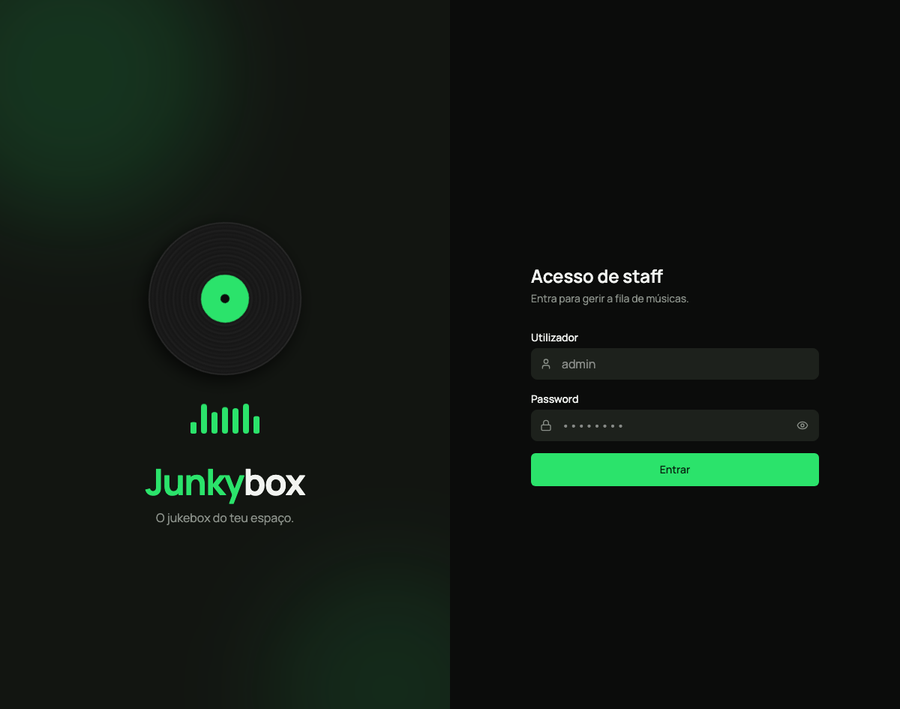
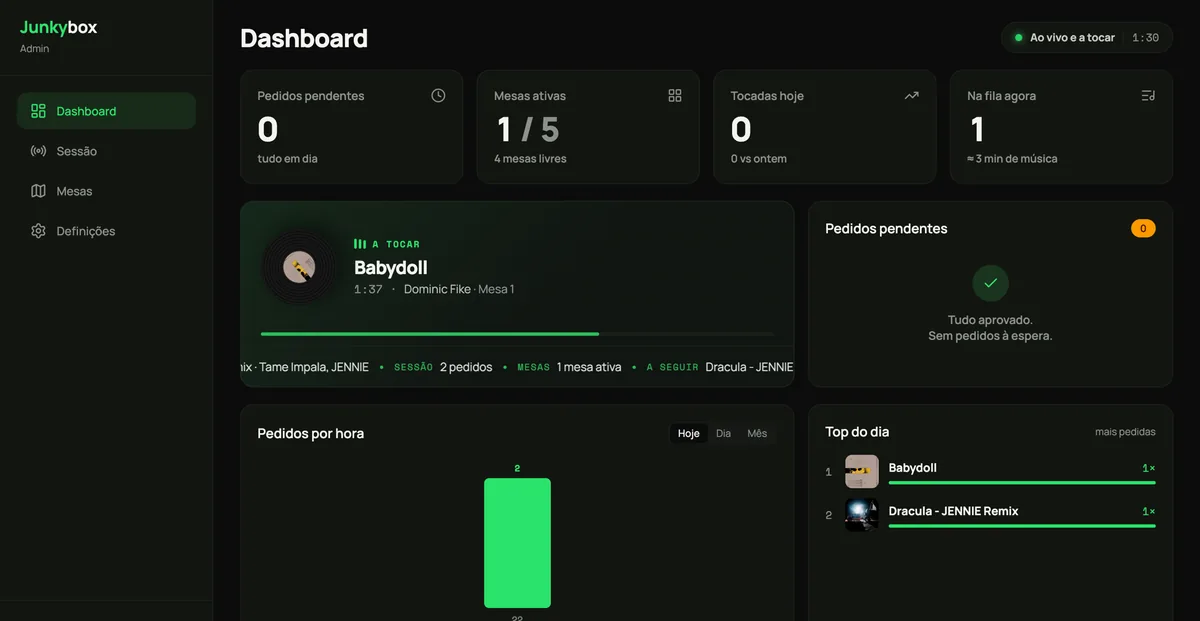
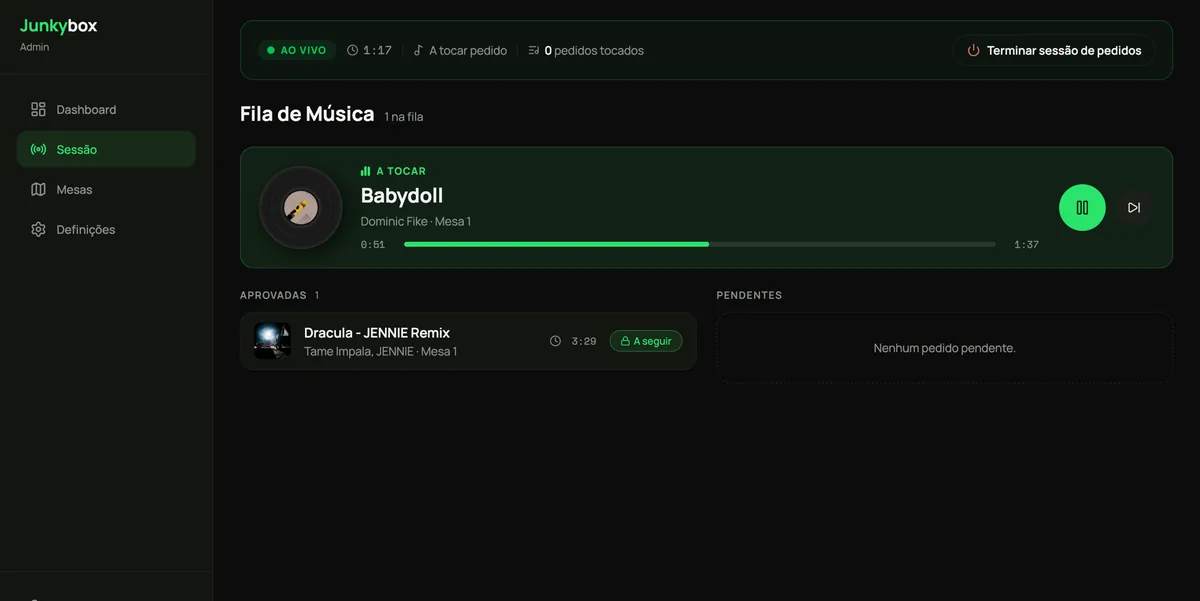
The staff dashboard: pending requests, active tables,
and what is playing right now.The live session: the queue, what is approved, and what is
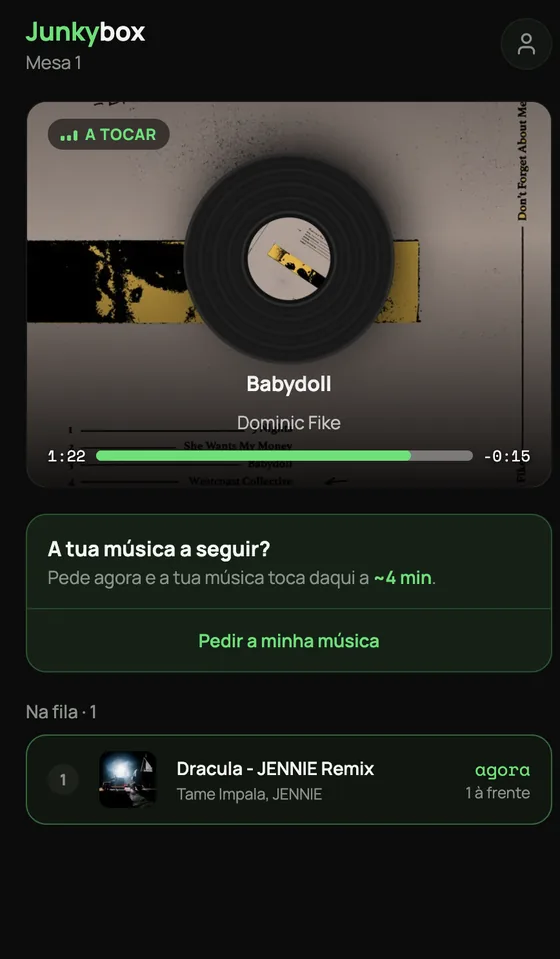
up next.What a guest gets after scanning the QR code on their table
No app to install, and an honest estimate of how long until
their song plays.
Motivation
What started as a side project between a friend and me grew out of a
shared frustration with static, boring party playlists. We wanted to
create an interactive music experience that engages everyone in the
room and eliminates constant manual requests to the host or bartender,
all wrapped in a clean, modern interface designed for both staff and
guests.
Purpose
To build a single-process, real-time web application using Next.js 16
(App Router) with Server-Sent Events (SSE) and master complex
integration with the Spotify Web API for live, synchronized playback
control.
Challenges
Maintaining precise real-time synchronization between client requests
and Spotify’s native queue without exceeding API rate limits or
suffering timing drift. On the product side, the main challenge was
designing an interface engaging enough to encourage user participation
while giving hosts strict, effortless control over the vibe.
What I learned
Through this project, I gained hands-on experience in full-stack
architecture and real-time systems, specifically:
Implementing custom long-running background workers within Next.js
Managing native Spotify queue synchronization and handling API rate-limiting constraints
Structuring multi-role authentication (staff vs. customer) using Auth.js
Streaming lightweight live updates using Server-Sent Events (SSE) instead of heavier WebSockets
Prototyping and building modern UI designs using Claude Design
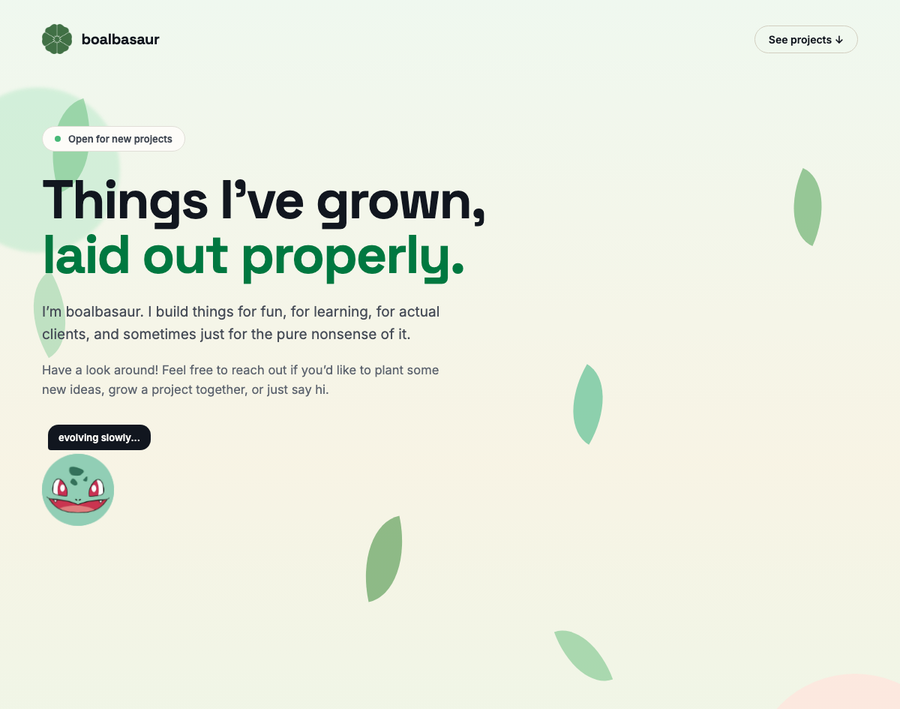
A lighthearted personal portfolio built around a pun
on one of my family names (Boal + Bulbasaur).
Five leaf greens, one ink, one bone-white
for the console. The entire page is mixed from these.
HTML
CSS
Vanilla JS
No build step
What it is
Retro game-inspired UI touches
Custom scroll animations
Slide-out project documentation panel
Motivation
I needed a single spot to organize all my projects without creating
another generic portfolio. Plot twist: I am not actually a big
Pokémon fan (no offense to the die-hard fans out there!).
Purpose
Build an ultra fast, zero dependency static site using pure HTML,
CSS, and vanilla JS while sharpening my UI interaction skills without
relying on heavy frameworks.
Challenges
Balancing fun visual quirks with smooth performance.
Mapping custom falling-leaf physics directly to scroll progress
Managing modal accessibility and focus states cleanly
Keeping layout overflow tight across all viewports
What I learned
How far vanilla JS and modern CSS can take you without npm packages
Deep dive into IntersectionObserver performance tuning
A small visual pun makes a developer portfolio infinitely more memorable